Version checked July 13, 2026

iCUE Download for Windows 11 & Windows 10

Download the current Corsair iCUE installer from its verified source, then use one control center for supported RGB lighting, cooling, keyboards, mice, headsets, memory, and iCUE LINK devices. This independent guide helps you choose the right version before the download begins.

Corsair CDN sourceNo repackaged installerOld-version guidance
Editorial illustration of an iCUE download connecting RGB PC devices
Editorial illustration: iCUE can coordinate settings across supported keyboards, mice, headsets, memory, and cooling hardware.
Verified Windows installer

Download iCUE 5

Current version
5.47.101
Installer size
3.27 MB web installer
Updated
June 23, 2026
Architecture
Windows x64
Download iCUE 5.47.101

The button opens Corsair's official CDN after a 15-second confirmation countdown.

Installer verification details

SHA-25627F4616070FEB072637FBE7F0BF8F11429BCE5F8019875D24D0BB1145E08E2BF

Last verified July 13, 2026 using the Corsair CDN response and the Microsoft Winget package manifest.

DeveloperCorsair
PriceFree software
InstallerMachine-wide x64 EXE
Primary platformsWindows 11 / Windows 10
Version guide

Choose the right iCUE download

Most users should install iCUE 5. Older branches exist for legacy hardware and older configurations, but an old version should be a compatibility decision rather than a default download.

4

iCUE 4 for specific legacy setups

iCUE 4 can matter when a known device, plugin, or saved configuration does not work correctly in iCUE 5. Confirm the reason before downgrading.

  • Not the default recommendation
  • Check device support first
  • Back up profiles before changing branches
Review iCUE 4 guidance
3

iCUE 3 for legacy devices

iCUE 3 is a historical branch for older Corsair hardware. It lacks current fixes and should only be used when a verified legacy requirement makes it necessary.

  • Historical release branch
  • Reduced support and security context
  • Avoid random third-party mirrors
Understand old versions
Before you install

iCUE system requirements and platform choices

The verified package is an x64 machine installer. Check your Windows edition, available storage, administrator access, and device support before starting the iCUE download.

Check device compatibility
PlatformRecommended routeImportant note
Windows 11Use the current iCUE 5 x64 installerInstall current Windows updates and restart pending updates first.
Windows 10Use iCUE 5 when the device remains supportedUse a 64-bit installation and check legacy-device notes before downgrading.
macOSCheck Corsair's current macOS download pageDevice support differs from Windows; do not use the Windows EXE.
LinuxNo native iCUE download is offered hereDo not download a Windows installer expecting native Linux support.
Quick setup

How to download and install Corsair iCUE

Use the verified installer, close software that can compete for hardware control, and let iCUE detect only the modules your system needs.

  1. 1

    Confirm compatibility

    Check that your Windows version and Corsair device are supported by the current iCUE branch.

  2. 2

    Start the download

    Select the verified download button. After the confirmation countdown, the Corsair web installer opens.

  3. 3

    Run as administrator

    Open the downloaded EXE, approve the Windows prompt, and choose the installation options you need.

  4. 4

    Let modules install

    Keep the network connection stable while the web installer retrieves the selected iCUE components.

  5. 5

    Restart and verify

    Restart if requested, open iCUE, and confirm that each supported device appears before importing profiles.

If the iCUE installer fails, freezes at 33%, or cannot retrieve a package, do not repeatedly launch more installers. Close the current process, restart Windows, and follow the matching troubleshooting guide below.

One control center

What Corsair iCUE controls

iCUE is a device-control platform rather than a single RGB utility. Available controls depend on the exact hardware model, firmware, connection type, and installed iCUE module.

Keyboards

Lighting layers, key assignments, hardware profiles, macros, and device-specific performance settings.

Mice

DPI stages, button remaps, surface calibration, polling options, lighting, and onboard profiles where supported.

Headsets

Equalizer presets, microphone controls, sidetone, lighting, receiver status, and firmware options on supported models.

Cooling and fans

Temperature sensors, pump modes, fan curves, LCD content, lighting, and linked cooling behavior.

Memory and components

Compatible Vengeance memory lighting, selected power supplies, monitors, and system components.

iCUE LINK

Connected fans, pumps, LCD modules, and sensors arranged through supported iCUE LINK hardware.

Explore compatible devices
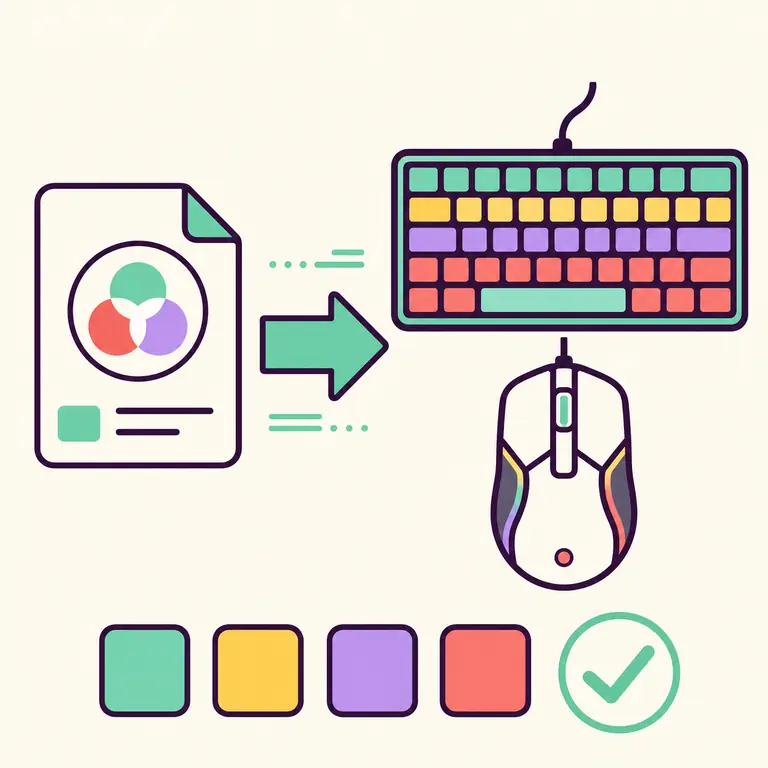
Editorial illustration of importing an RGB profile to a keyboard and mouse
Editorial illustration: profile files can carry lighting and device assignments into a compatible iCUE setup.
RGB resources

iCUE profiles, lighting effects, and Murals

A profile can store lighting, assignments, DPI, cooling behavior, and other device settings. Use a profile made for a compatible iCUE branch and review its assignments before enabling it.

Software overview

What is Corsair iCUE software?

Corsair iCUE configures supported components and peripherals in one interface, including lighting, assignments, DPI, audio, cooling, sensors, LCD content, and profiles. Available controls depend on the connected hardware and installed modules.

The small modular web installer retrieves components needed by the system, so a stable connection matters. A failure after the EXE opens often involves package retrieval or Windows state rather than the initial download.

Why an independent iCUE download guide is useful

The official Corsair source should remain the place where the current installer comes from. The role of this site is different: explain which branch fits a system, expose the source and checksum clearly, separate current downloads from legacy-version searches, and connect users to practical fixes when the web installer does not complete. We do not rename, wrap, or rebundle the iCUE installer.

That distinction matters because download searches attract misleading buttons and stale mirrors. A version number can change while an old page still says latest, and a historical build may be presented without its support limitations. Every current-version claim on this page is tied to a check date. When the verified version changes, the number, update date, installer hash, metadata, schema, and related instructions must change together.

Profiles, hardware memory, and software profiles

An iCUE software profile can change with an application or game and may include lighting and button assignments across several devices. A hardware profile is stored on supported device memory and can operate when iCUE is not running, but it usually supports a narrower set of effects and actions. Before importing a shared profile, export a backup and confirm that imported key assignments do not replace controls you rely on.

Profiles are not universal themes. Missing device layers, different keyboard layouts, unsupported lighting zones, and version differences can make a profile look incomplete. Start by importing into a new profile slot, inspect assignments and cooling settings, then make it active. This protects a working configuration and makes profile troubleshooting much easier.

Keep iCUE, Windows, and firmware in a known state

Before a major iCUE update, export important profiles and note custom fan curves or key assignments. Finish pending Windows updates, restart the PC, and close other RGB or motherboard control applications during installation. After the update, check device detection and firmware prompts before restoring advanced automation. This short preparation reduces the chance that several changes happen at once and makes any failure easier to diagnose.

If a device is stable on an older branch, do not downgrade or upgrade only because a search result offers another installer. Start with the device support reason, then choose the branch. The Versions and Compatibility pages organize that decision without treating every old package as equally suitable.


Sources and verification

Version 5.47.101, the x64 installer URL, file size, and SHA-256 were checked against Microsoft's Winget manifest and Corsair CDN on July 13, 2026.

Corsair downloads page Microsoft Winget iCUE manifest
Clear answers

iCUE download FAQ

Answers to the questions people ask before they download iCUE or choose an older release.

Is Corsair iCUE free to download?

Yes. Corsair publishes iCUE as free device-configuration software. This site sends the download request to Corsair's source and does not charge for or repackage the installer.

Does iCUE work on Windows 11?

The current x64 iCUE 5 branch is the normal choice for supported devices on Windows 11. Install current Windows updates first and check the exact device on the compatibility page.

Can I download iCUE for Windows 10?

Yes, users with a supported 64-bit Windows 10 setup can use the current branch. Older hardware may have version-specific limits, so review the device and legacy-version guidance before downgrading.

Which iCUE version should I download?

Start with the current iCUE 5 installer unless Corsair documentation for your device or a verified legacy requirement points to iCUE 4 or iCUE 3. Back up profiles before changing major branches.

Where can I download old versions of iCUE?

Use the Versions page to understand which legacy branch you need, then follow a Corsair-controlled source when one is available. Avoid random mirrors that cannot establish the original file and checksum.

Why does the iCUE download stop at 33 percent?

A pause at 33 percent can involve network package retrieval, pending Windows work, permissions, security filtering, or remnants of an older installation. Follow the dedicated guide instead of repeatedly starting more installer processes.

Do I need iCUE for a Corsair mouse, keyboard, or headset?

Basic hardware functions may work without iCUE, but supported lighting, macros, remaps, DPI stages, audio controls, firmware tools, and synchronized profiles generally require the software.

Is there an iCUE download for Linux?

This site does not offer a native Linux iCUE package. Do not install an unofficial package that claims to be Corsair iCUE without independently verifying what it contains and how it controls hardware.

Ready to install

Download iCUE from the verified Corsair source

5.47.101 · Windows x64 installer · verified July 13, 2026

Download iCUE 5.47.101